
Sling Experience Overhaul.
Redesigning Sling’s core experience to improve engagement and drive growth.
Streaming expectations changed. Sling needed to evolve.
TV streaming had become more competitive, giving users more choices and raising expectations for faster, more intuitive experiences. For Sling, the challenge was to make its core value easier to access—helping users get to live and on-demand content with less effort, while preserving its speed to content.
The core problem was ambiguity across the experience.
As Sling expanded across devices, years of feature layering created overlapping destinations, mixed content states, and inconsistent patterns. Users had to interpret where to go, whether content was live, on-demand, or saved, and where to return later—often falling back on Guide or Search.
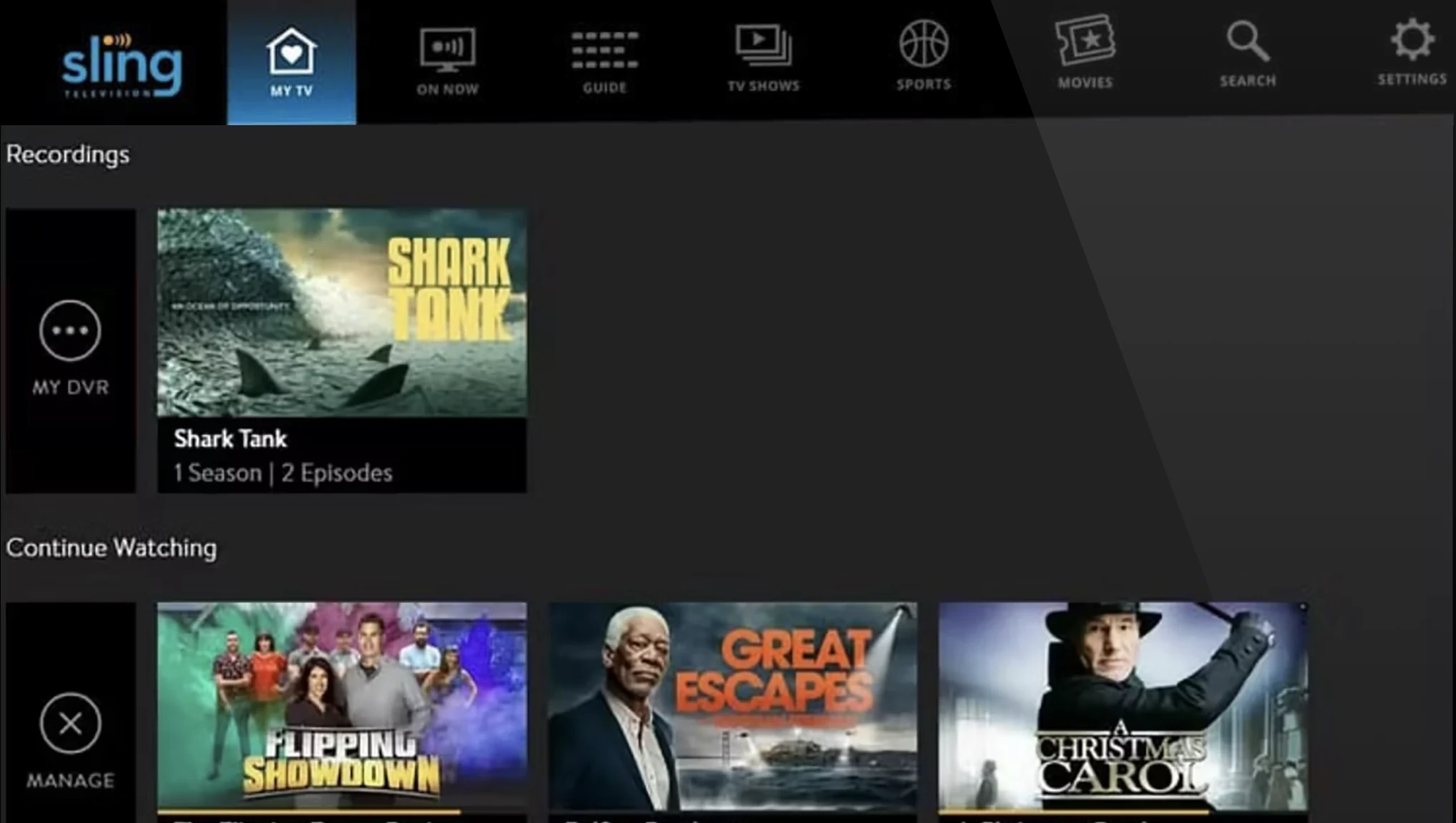



Legacy patterns no longer matched user expectations.
The dated visual and interaction model made content harder to evaluate, while competing services made streaming feel more intuitive, personalized, and seamless.
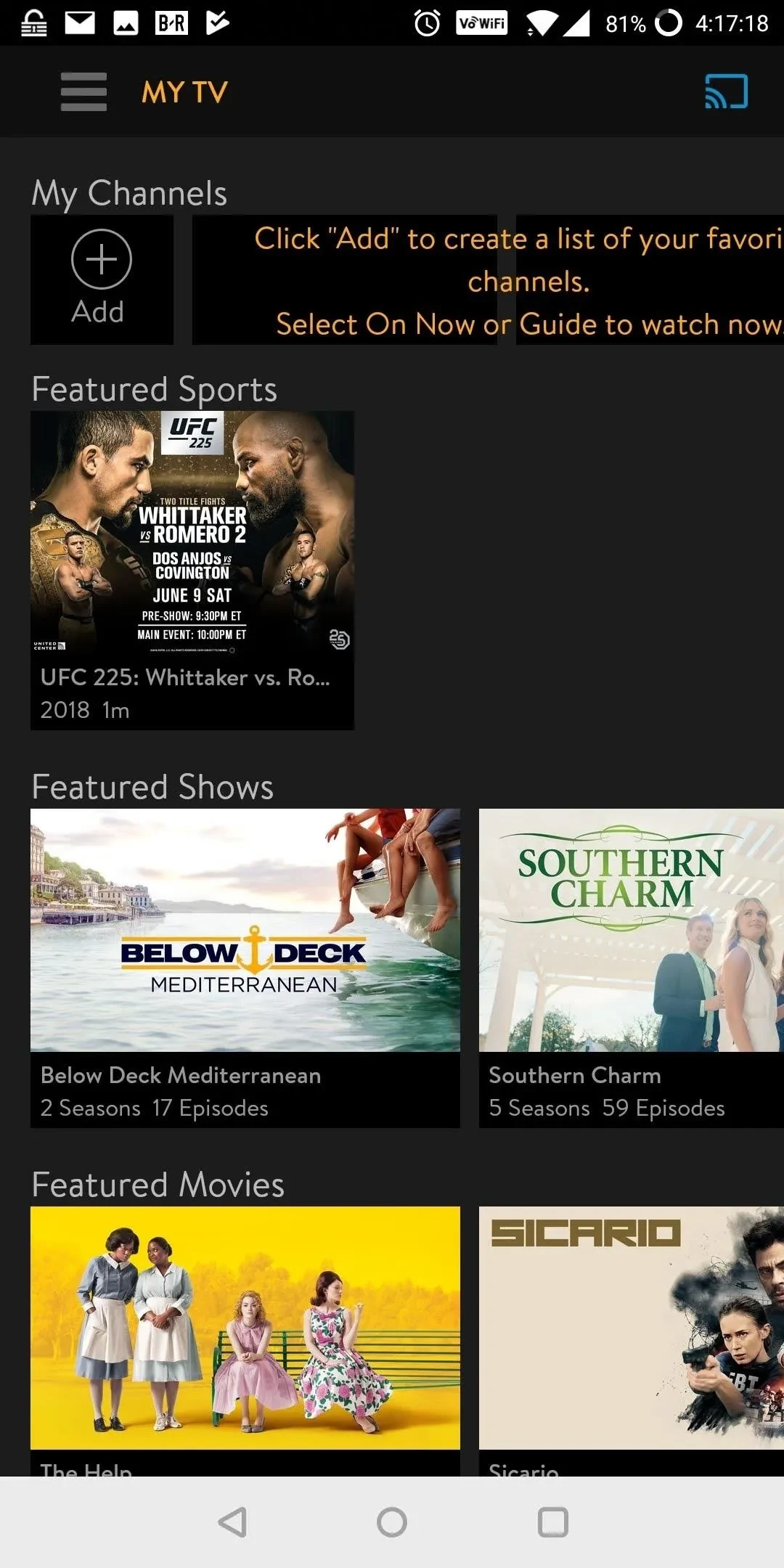
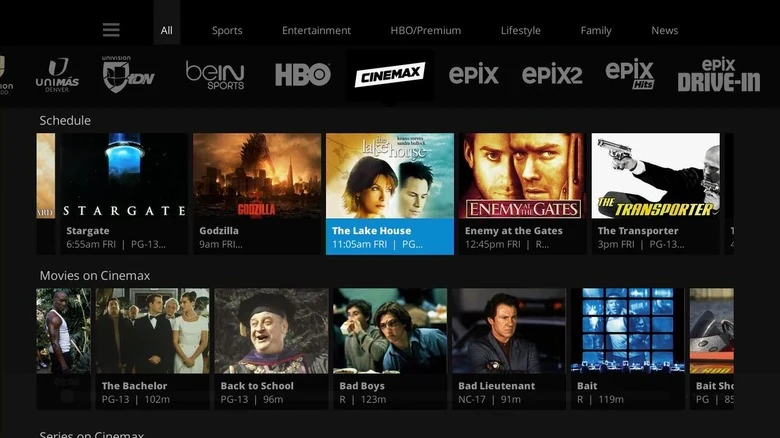
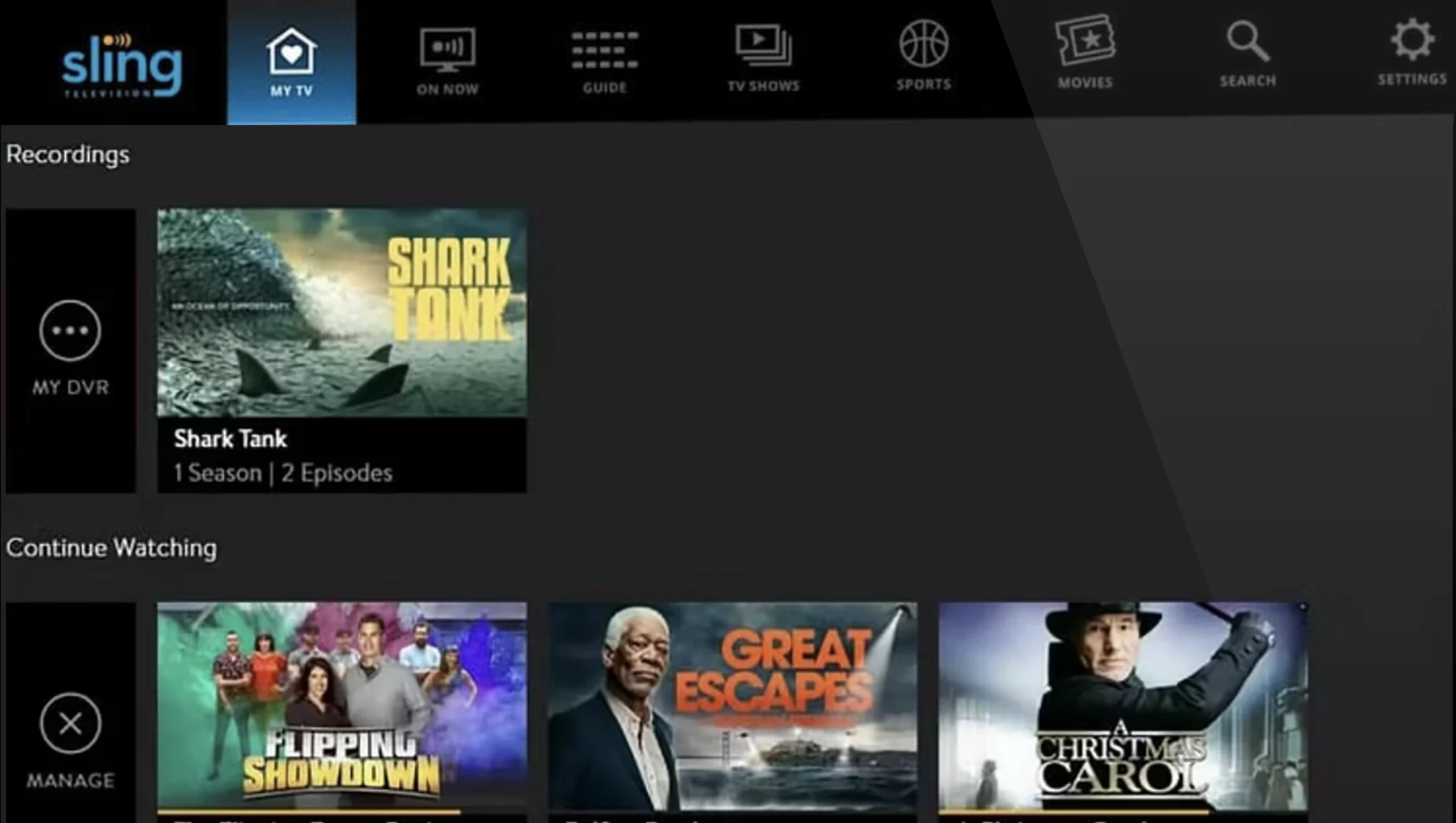
As Sling’s core experience grew more complex, users struggled to navigate and find content. This wasn’t simply a visual or a navigation cleanup. Sling needed a new experience foundation.
Make Sling easier to use, so engagement could turn into growth.
The goal was to improve the core experience in ways that could change user behavior and support long-term product health—not just make the product look or feel more consistent.
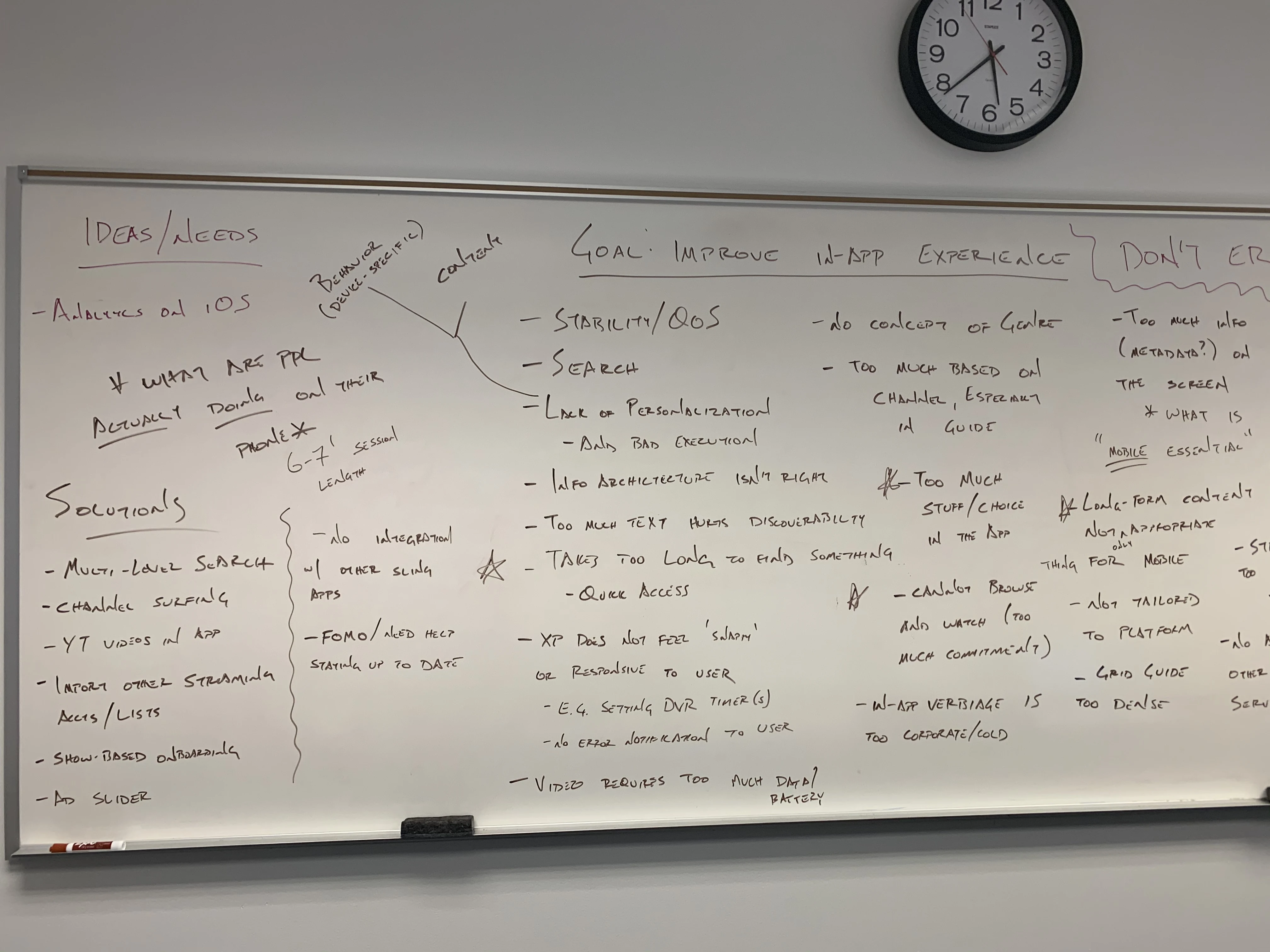





Multiple signals pointed to the same four friction patterns.
I gathered problem input from four Cross-Journey Teams, conducted user interviews and survey research, reviewed product analytics, and completed competitive reviews to identify where the core experience was breaking down.
The same four friction patterns kept showing up.
The research shaped three decisions for rebuilding core experience.
Each decision was sequenced deliberately. Foundation came first to make the product easier to navigate. Personalized Discovery came next to reduce decision time once the foundation was stable. Seamless Viewing closed the loop between browsing and watching. Together, the three decisions addressed the core path from finding content to staying engaged.



Build the foundation first.
Before improving discovery or viewing continuity, we needed to make the core experience easier to navigate and more predictable across platforms. ✭Of the three decisions, this had the broadest scope, touching nearly every part of the product.
The foundation created a clearer path for users and a shared model for journey teams—allowing the redesign to scale without reintroducing fragmentation.
The existing IA had overlapping destinations and unclear content paths.
Sling offered a broad mix of live and on-demand content, but overlapping destinations made it harder to find and manage. Many users fell back to the familiar Guide instead of navigating the broader experience.
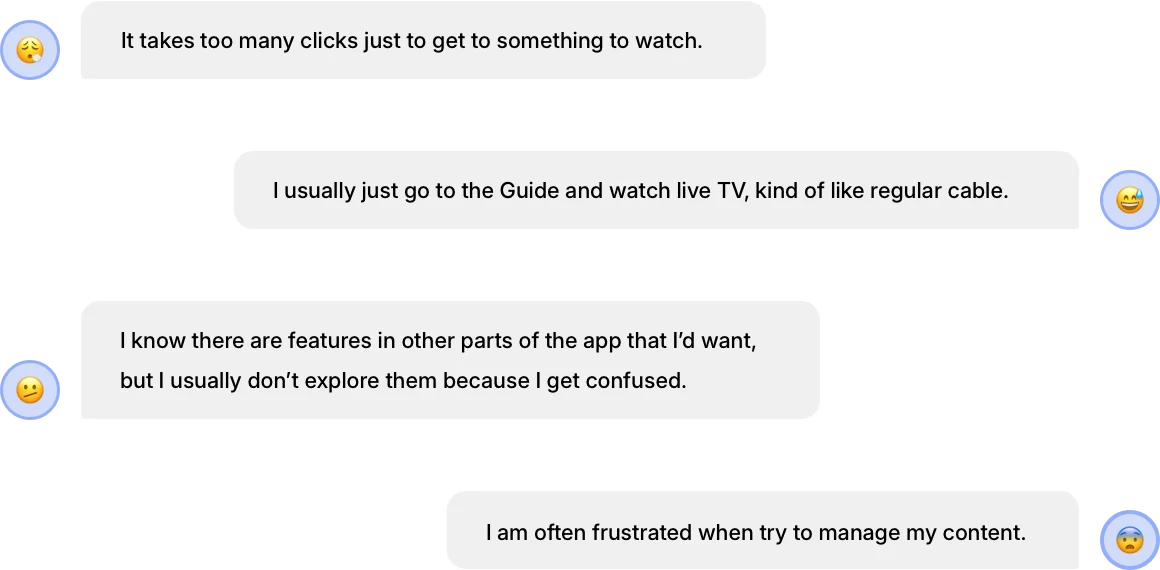
- Over 90% of users went straight to Guide or Search, bypassing the rest of the app.
- Live and on-demand content were mixed without clear separation.
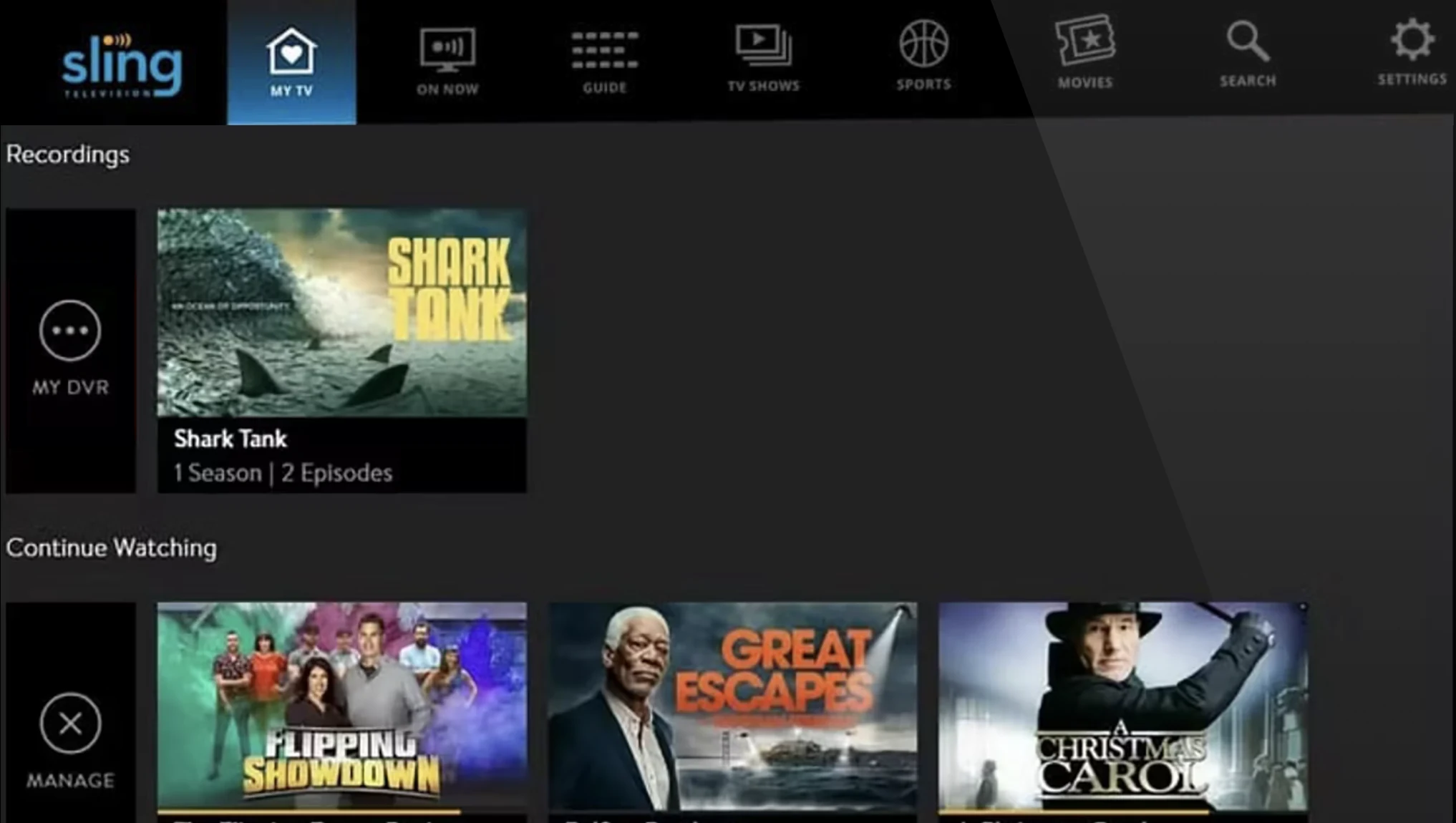
- Labels like My TV and On Now did not match how users thought about content.
- DVR recordings, watchlists, and saved content were hard to find.
- Sling’s on-demand library was one of its core value propositions, but it was less visible.
The evidence pointed to three IA breakdowns.
The key IA decision was how to organize content around user intent.
Both models had trade-offs. The category-based model offered familiar entry points, but continued to mix live and on-demand content and duplicate paths. The goal-and-state model organized destinations around what users wanted to do and whether content was live, on demand, or saved.
I chose the model that best addressed Sling’s core IA problem: reducing overlap and making each destination more predictable.

The key alignment challenge was balancing DVR visibility with IA clarity.
Senior leadership wanted DVR to remain highly visible because DVR upgrades generated revenue. I advocated for grouping recorded and saved content in Library, where users expected to find it.



The new IA organized Sling around clearer user goals.
The new structure reduced overlapping destinations and created clearer paths to start with relevant content, watch live TV, explore on-demand content, return to saved content, or search directly.
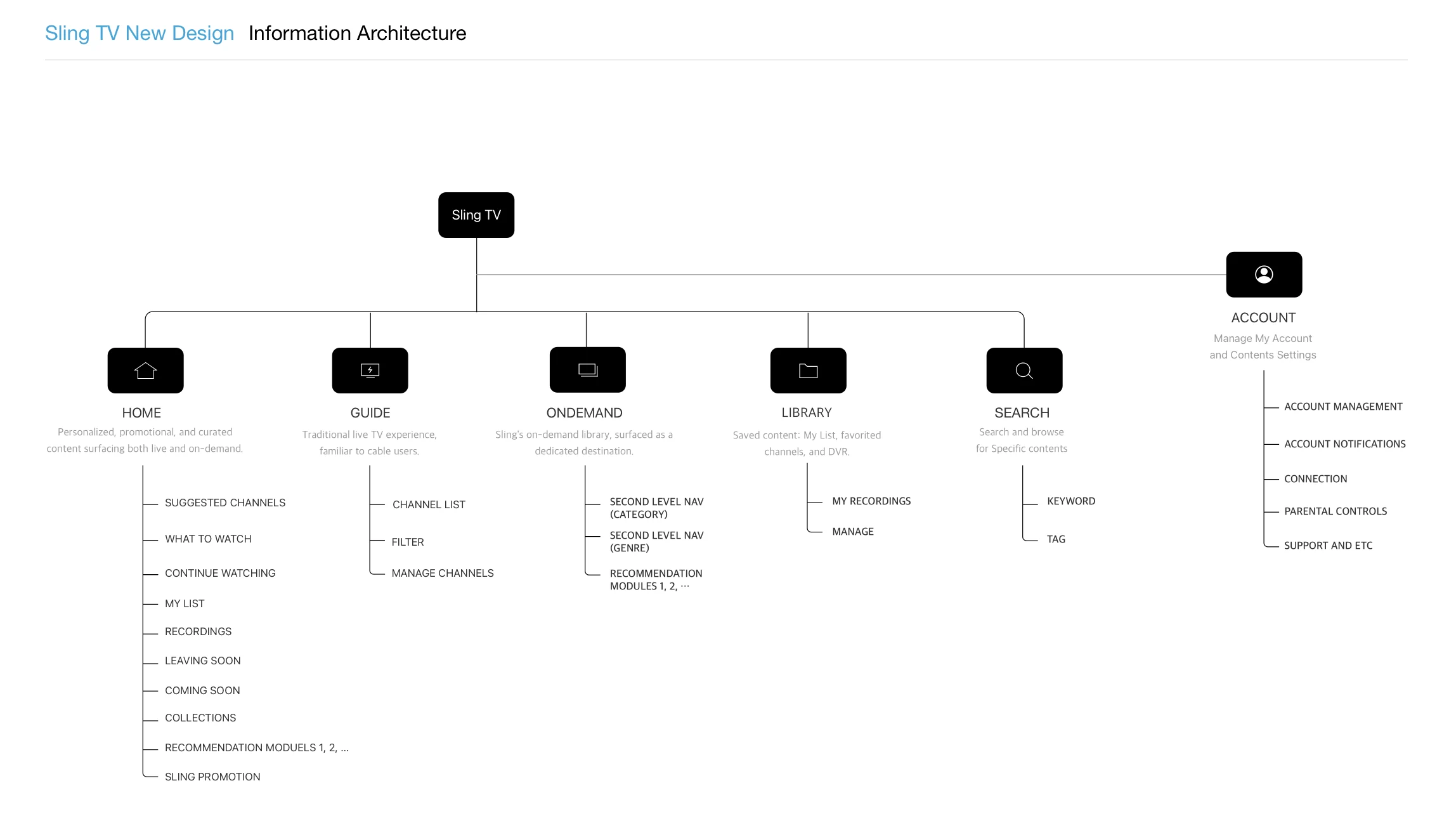
The navigation model had to balance immersion and wayfinding.
After simplifying the IA, I compared top and left navigation against the needs of a content-heavy TV experience: preserving screen space, supporting frequent destination switching, and remaining predictable with a remote.
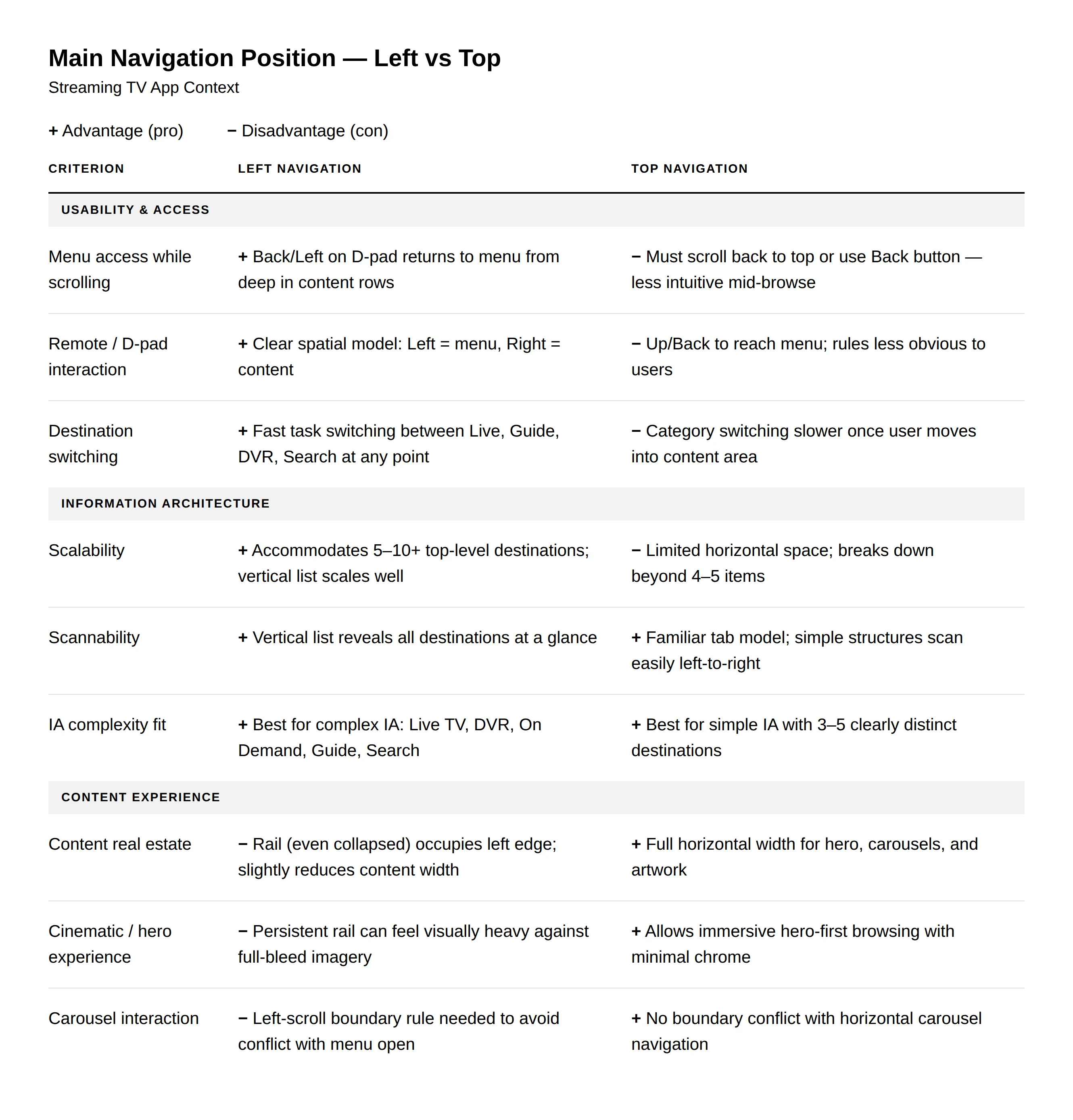
I chose left navigation for Sling’s TV experience.
A collapsible left rail better matched Sling’s frequent task switching. It preserved content space when collapsed, made core destinations easier to reach, and created a clearer boundary between navigation and browsing.
Trade-off
Top navigation offered greater visual immersion, but made destination switching heavier once users were deep in content. Because Sling’s larger problem was wayfinding, I prioritized faster, more predictable access to destinations over maximum visual immersion.
The redesign needed a base model for browsing and playback.
With the IA and navigation defined, I compared two structural models for how browsing and playback should coexist. The decision had to balance usability, cross-platform feasibility, ad viewability, and future viewing continuity.


I chose the model that balanced usability, feasibility, and ad viewability.
After comparing both models, Video Behind UI offered a more continuous live TV experience, while Video Overlay UI provided clearer separation between browsing and playback, lower delivery risk, and stronger protection for ad viewability.
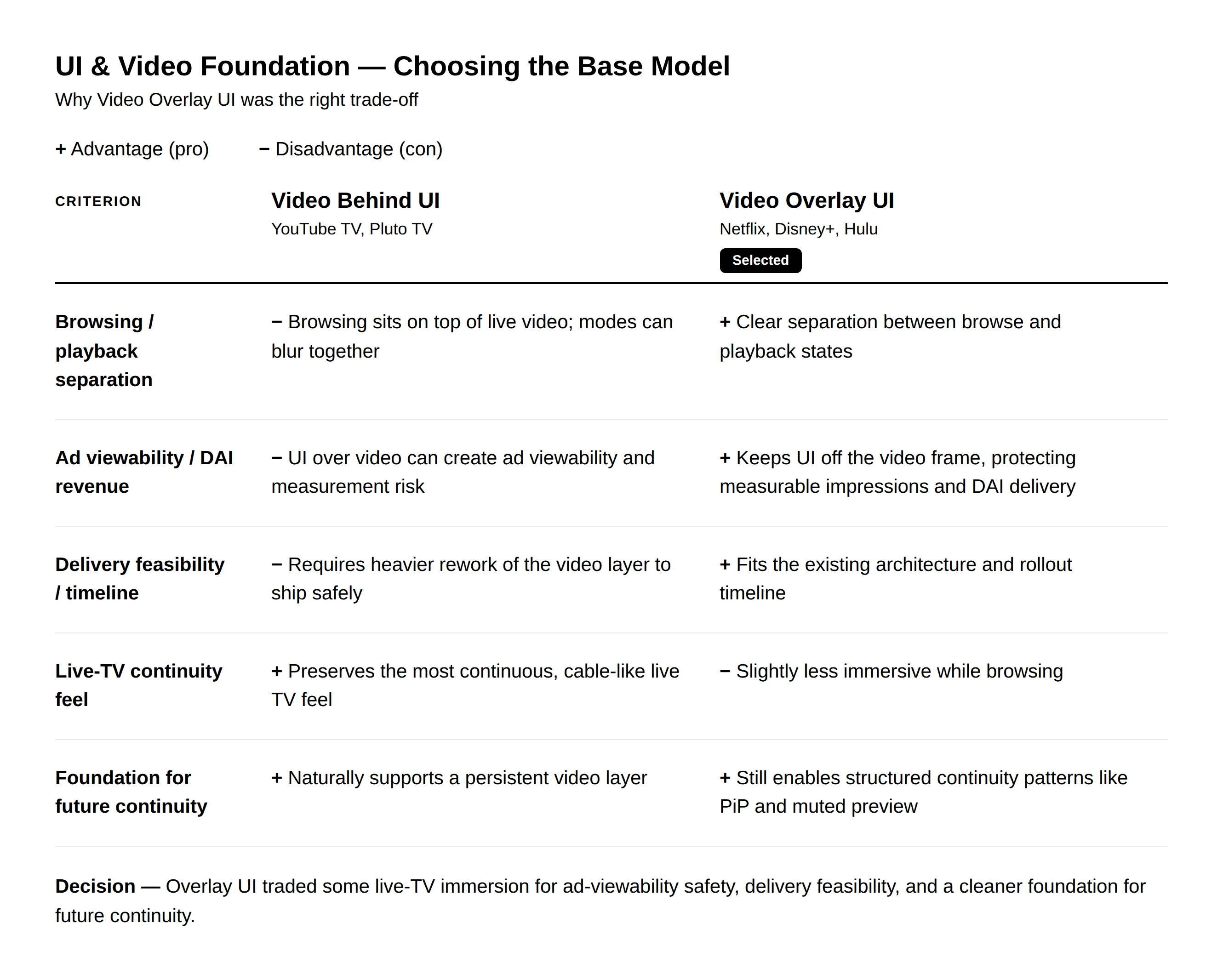
Trade-off
We traded the more continuous, always-on live TV feel of Video Behind UI, which kept playback visible during browsing, for the clearer separation of Video Overlay UI. The selected model fit Sling’s existing architecture, protected ad viewability, and created a more consistent foundation across platforms while still supporting future continuity patterns such as picture-in-picture and muted preview.
I turned familiar TV interaction patterns into shared rules.
With the IA, navigation, and video foundation defined, I reviewed platform guidance and common streaming TV conventions, then established consistent behavior for Sling’s remote-based experience.
The rules defined behavior across four interaction areas.
- Focus movement: Predictable D-pad movement across content and controls.
- Navigation entry and exit: Consistent movement between the side menu and browsing surfaces.
- Back behavior: Clear expectations for returning to the previous state.
- State transitions: Consistent handoffs between browsing, detail, playback, and controls.
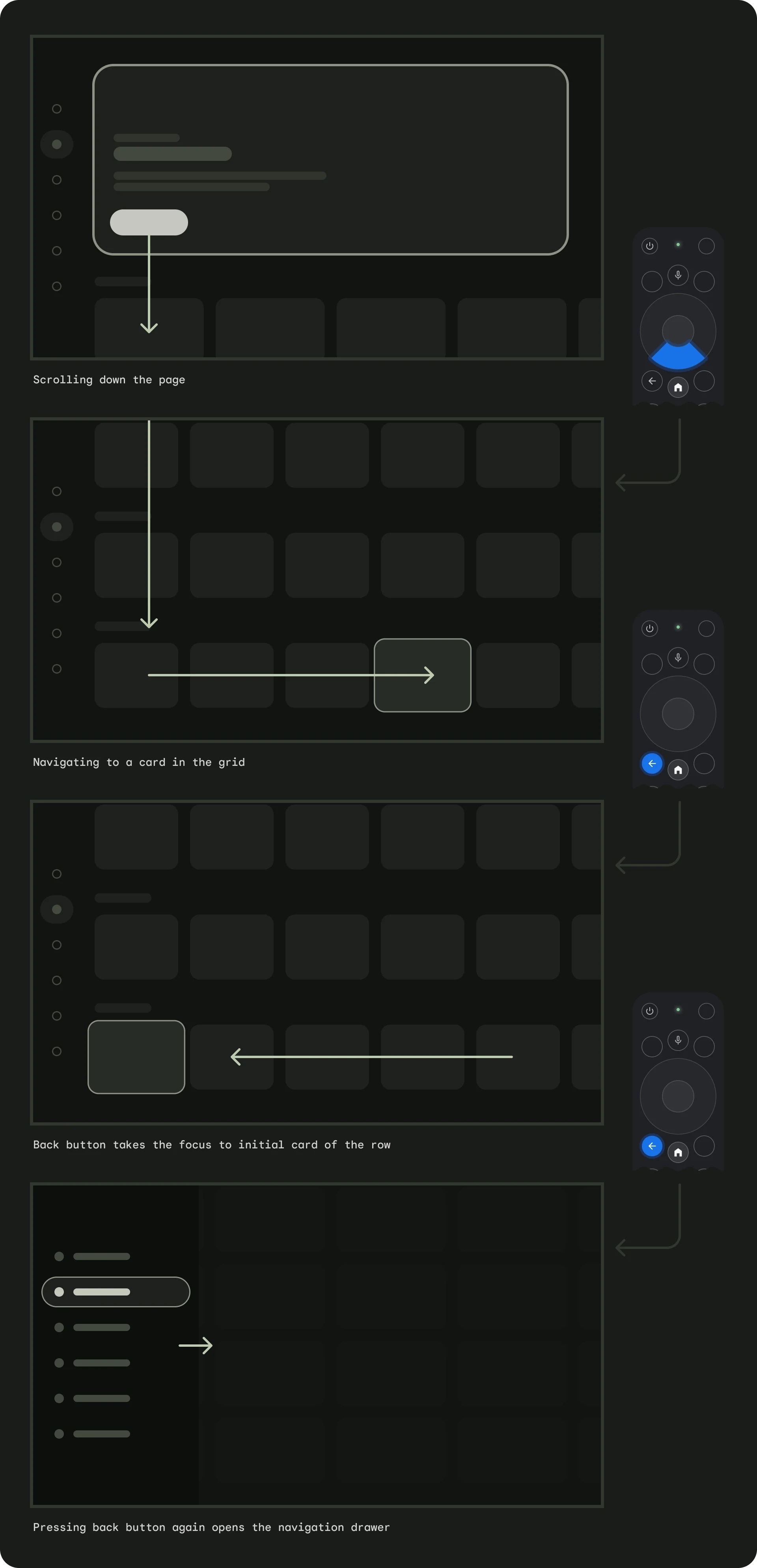
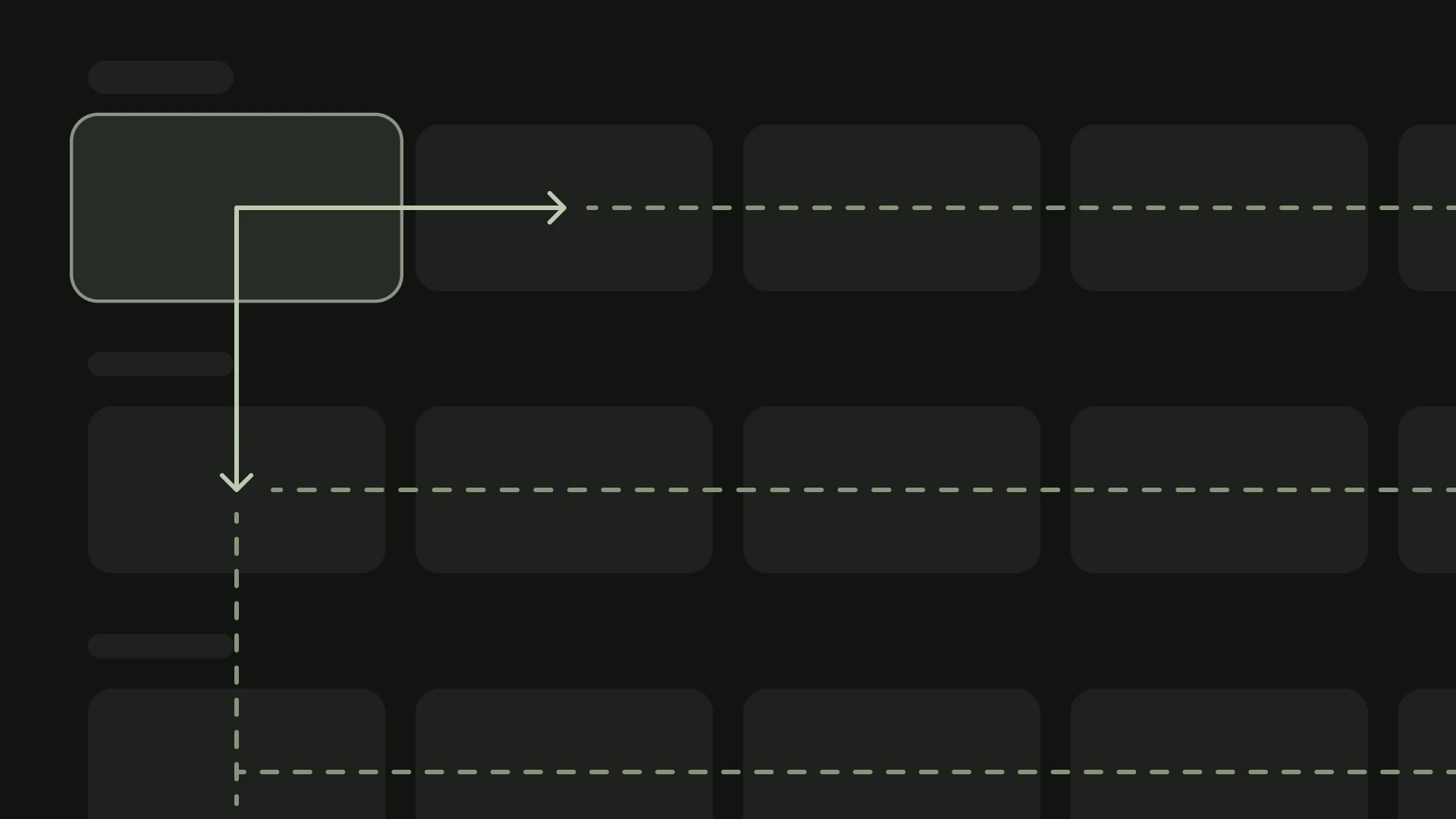
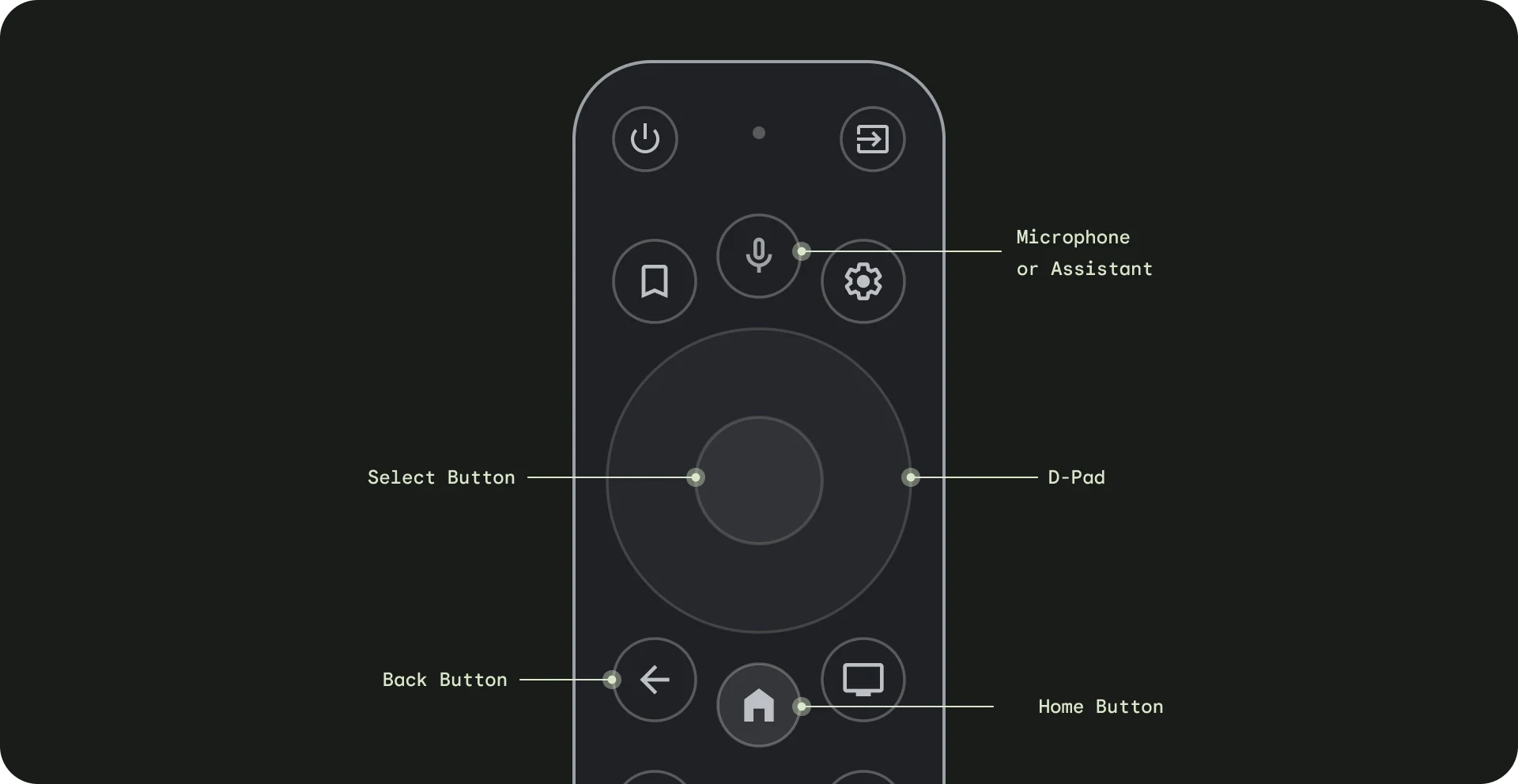
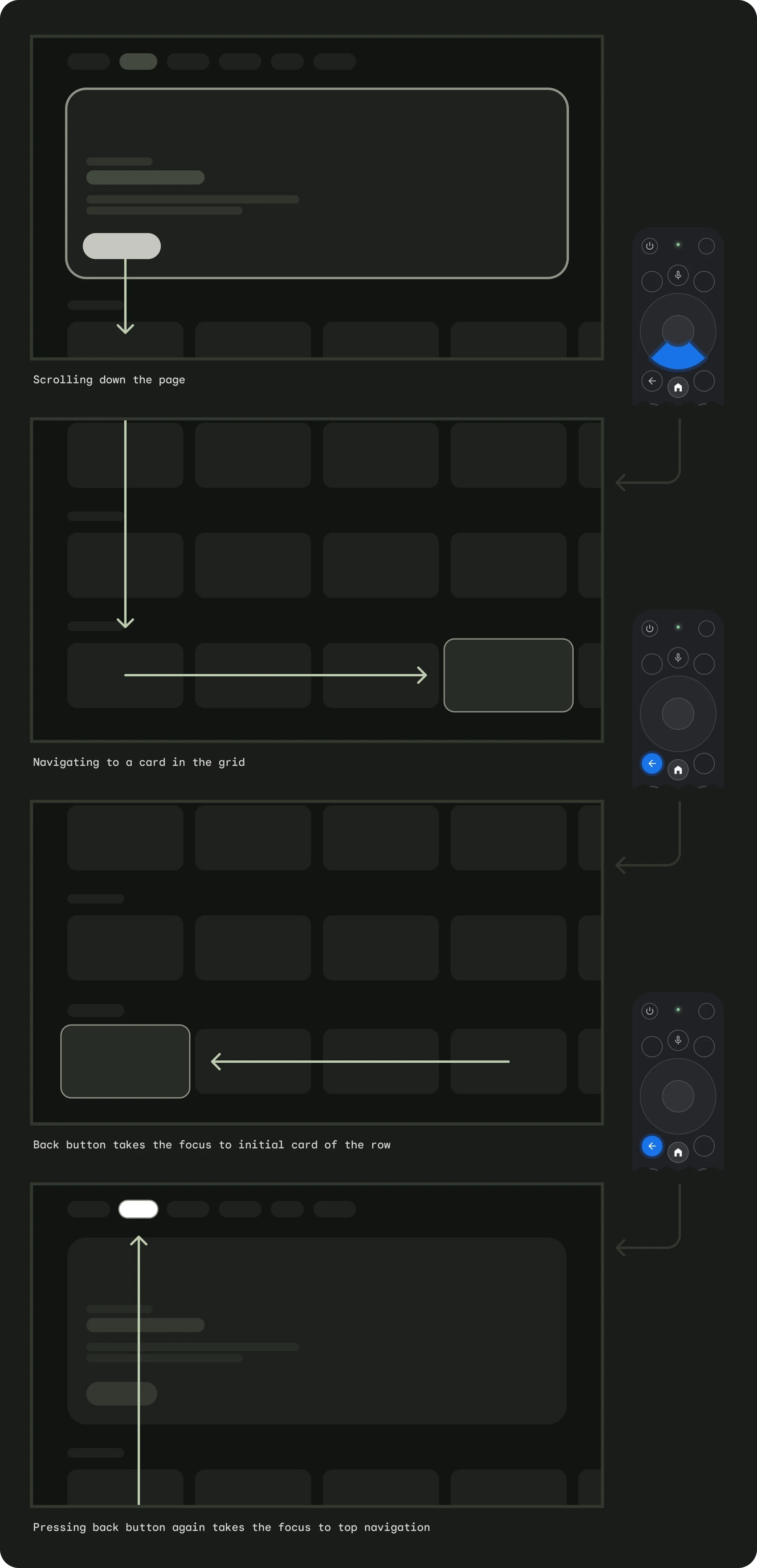
I defined a shared model so four journey teams could move in parallel.
The foundation was translated into high-level screen models, reusable patterns, and platform guidance. Each team could adapt the model to its journey without reopening core product decisions.
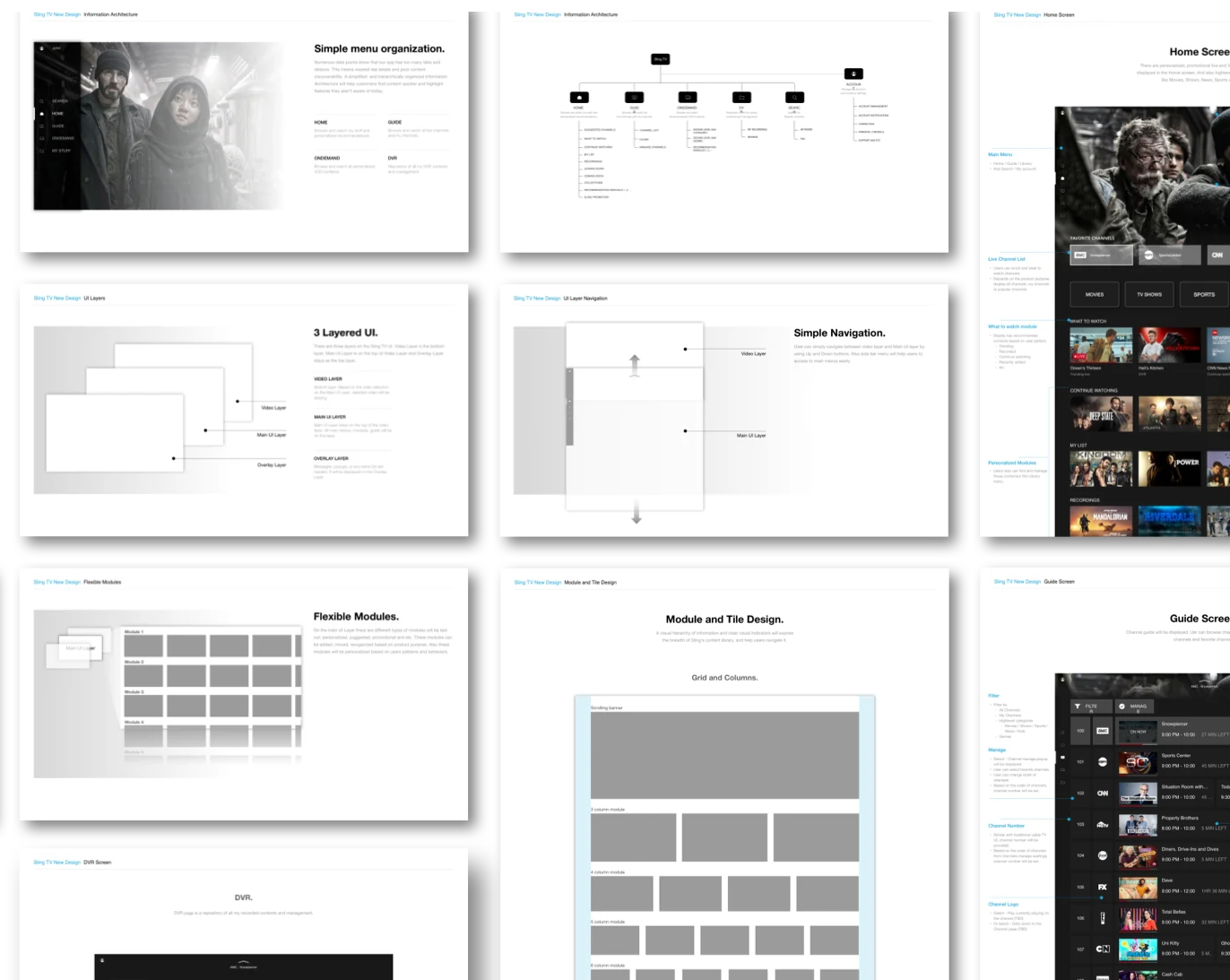
Make discovery relevant by default.
With the foundation in place, the next challenge was helping users decide what to watch faster. Discovery was not about showing more content—it was about matching the right surface and content to the user’s intent.
Three surfaces served three different intents.
- Home — What should I watch now?
- On Demand — What can I explore deeper?
- Search — I know what I want—help me get there fast.
Home became the primary discovery surface, while On Demand supported deeper exploration and Search supported high-intent tasks.
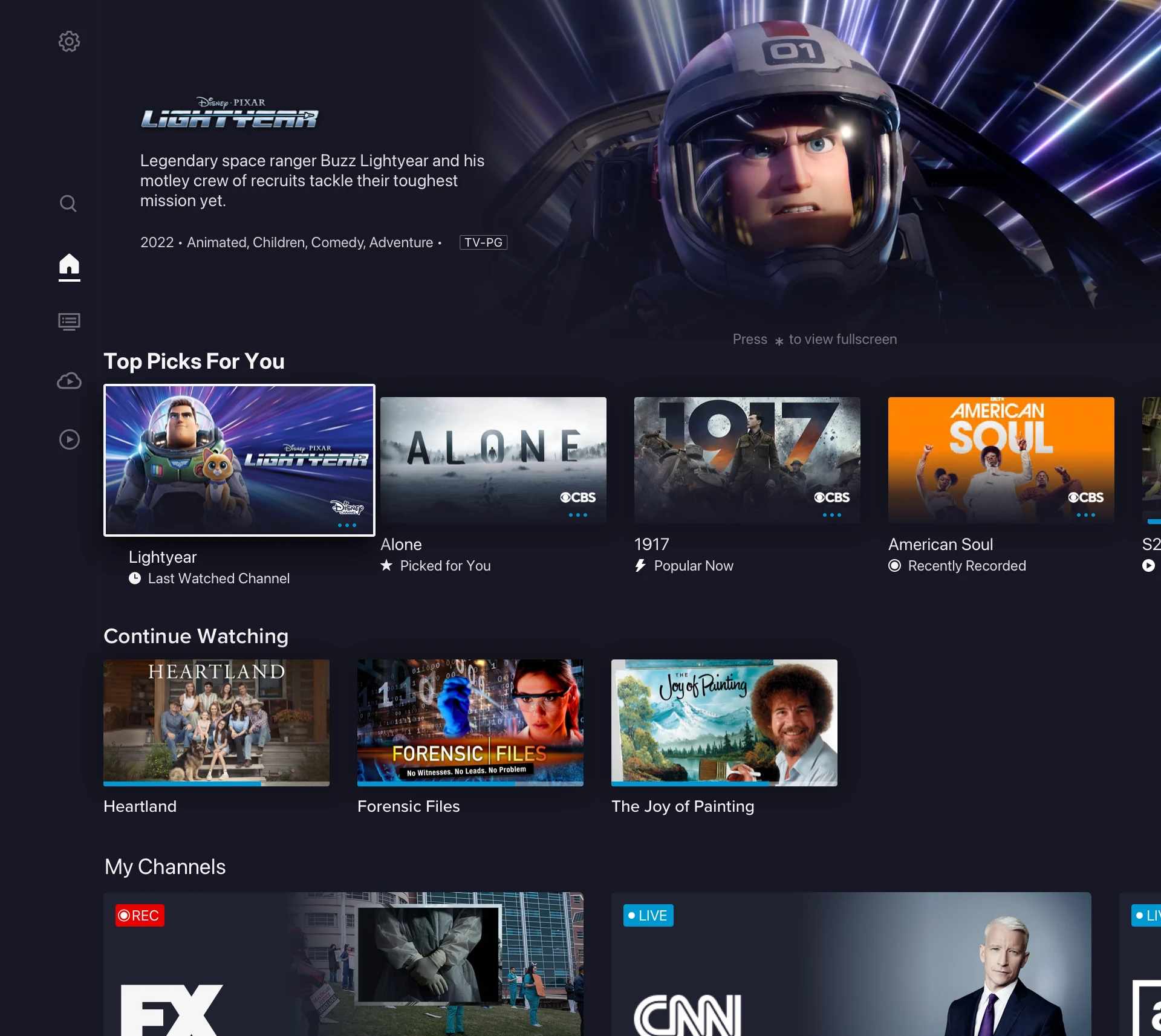
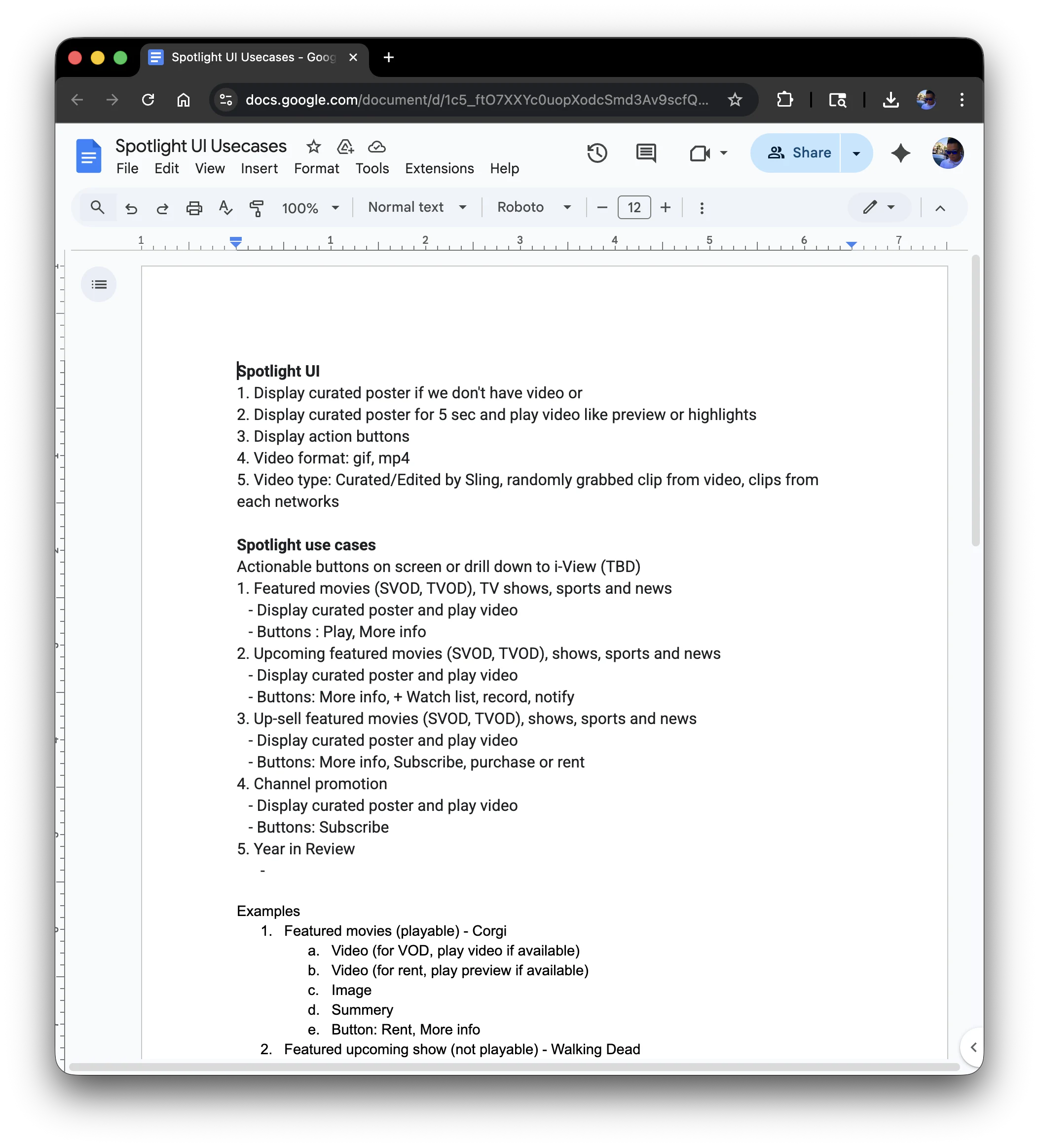
I made Home a tunable discovery system.
Modules were organized around personalized relevance, real-time availability, and curated breadth, allowing Home to adapt to different user states.
A module framework balanced three content types.
- Personalized: Top Picks for You, Continue Watching, My Channels, My List
- Real-time: Live + Starting Soon, live highlights and events
- Curated: Recently Added, Leaving Soon, Collections and Categories
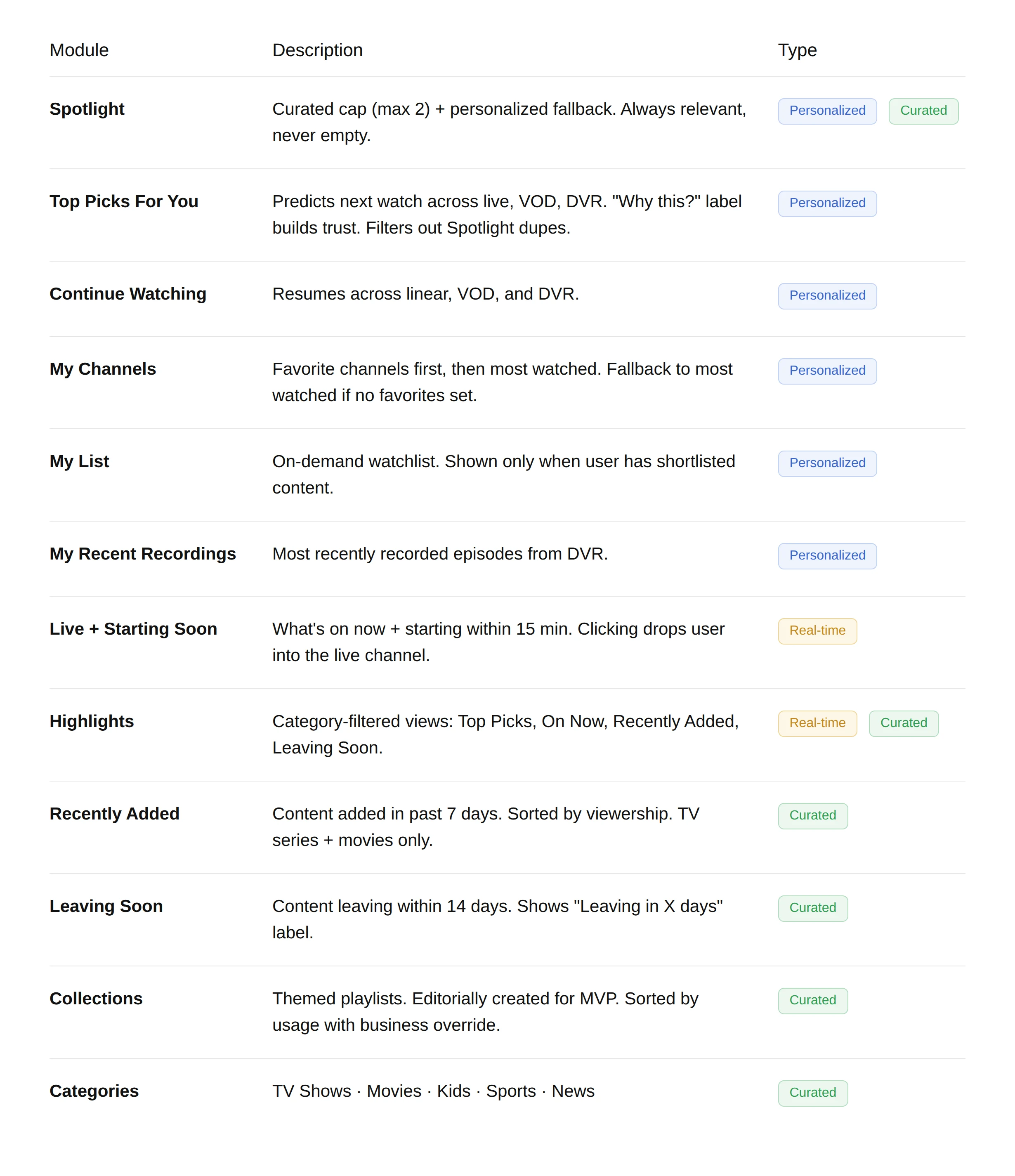
The same system extended beyond Home: On Demand supported deeper exploration, while Search helped high-intent users evaluate and act faster.
Protect viewing momentum across browsing and playback.
After improving navigation and discovery, the next challenge was preserving viewing context. Users needed to browse, evaluate, and switch live content without stopping playback, losing context, or committing too early.
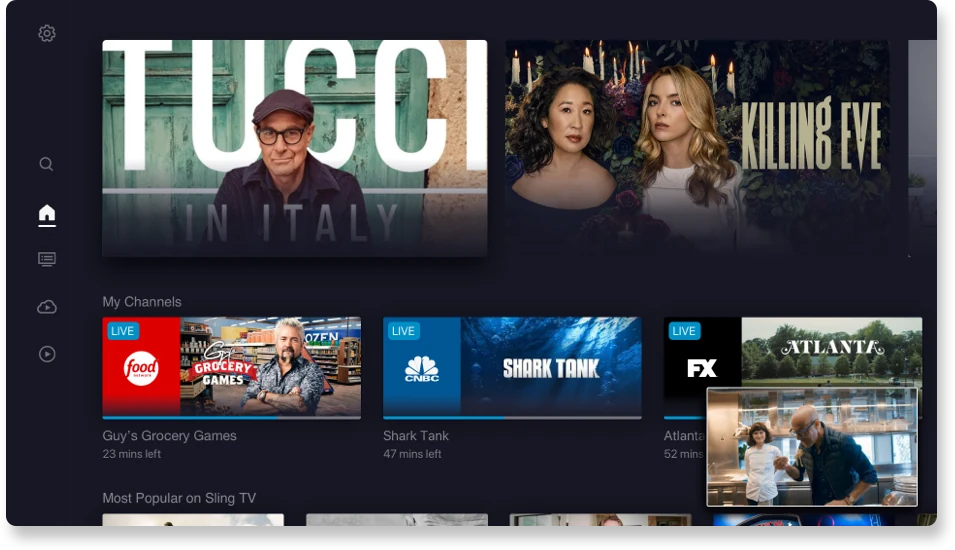
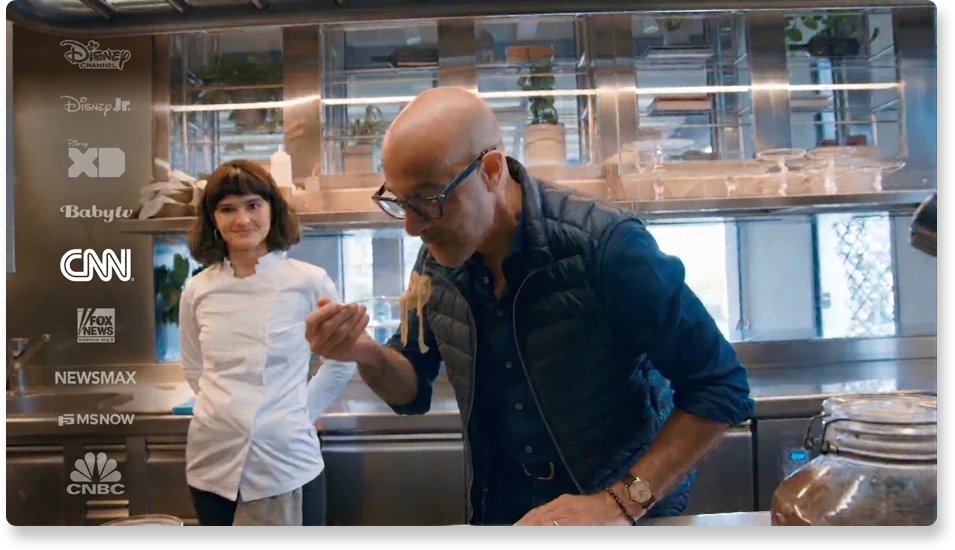
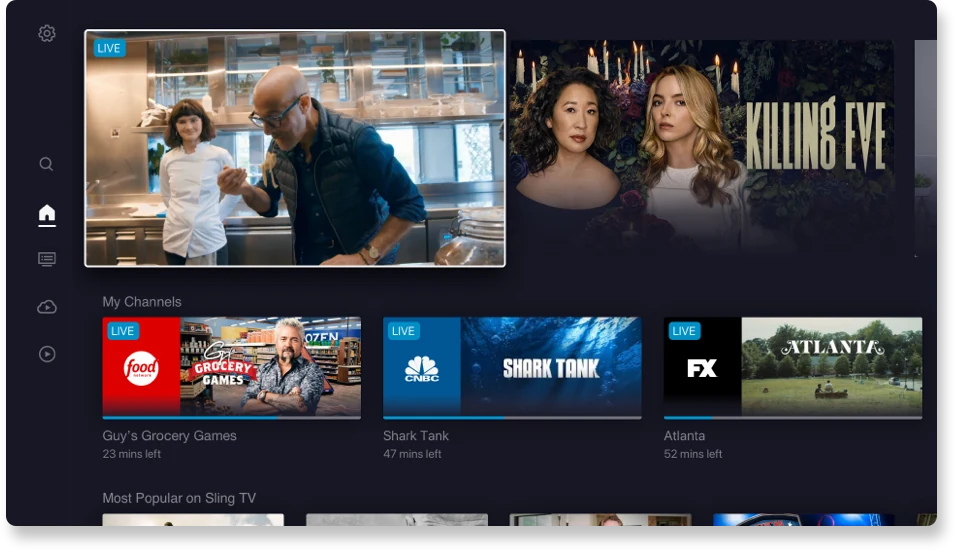
I connected browsing and playback into a more continuous viewing flow.
I defined three complementary patterns around the moments where viewing momentum broke most: browsing while watching, evaluating content, and switching live channels.
I separated foundation decisions from journey-level execution.
The core team aligned leadership, Product, Engineering, Research, and Design on product direction, interaction models, platform constraints, and quality guardrails. Four Cross-Journey Teams then applied that foundation to their own flows, using review checkpoints to resolve trade-offs without reopening core decisions.


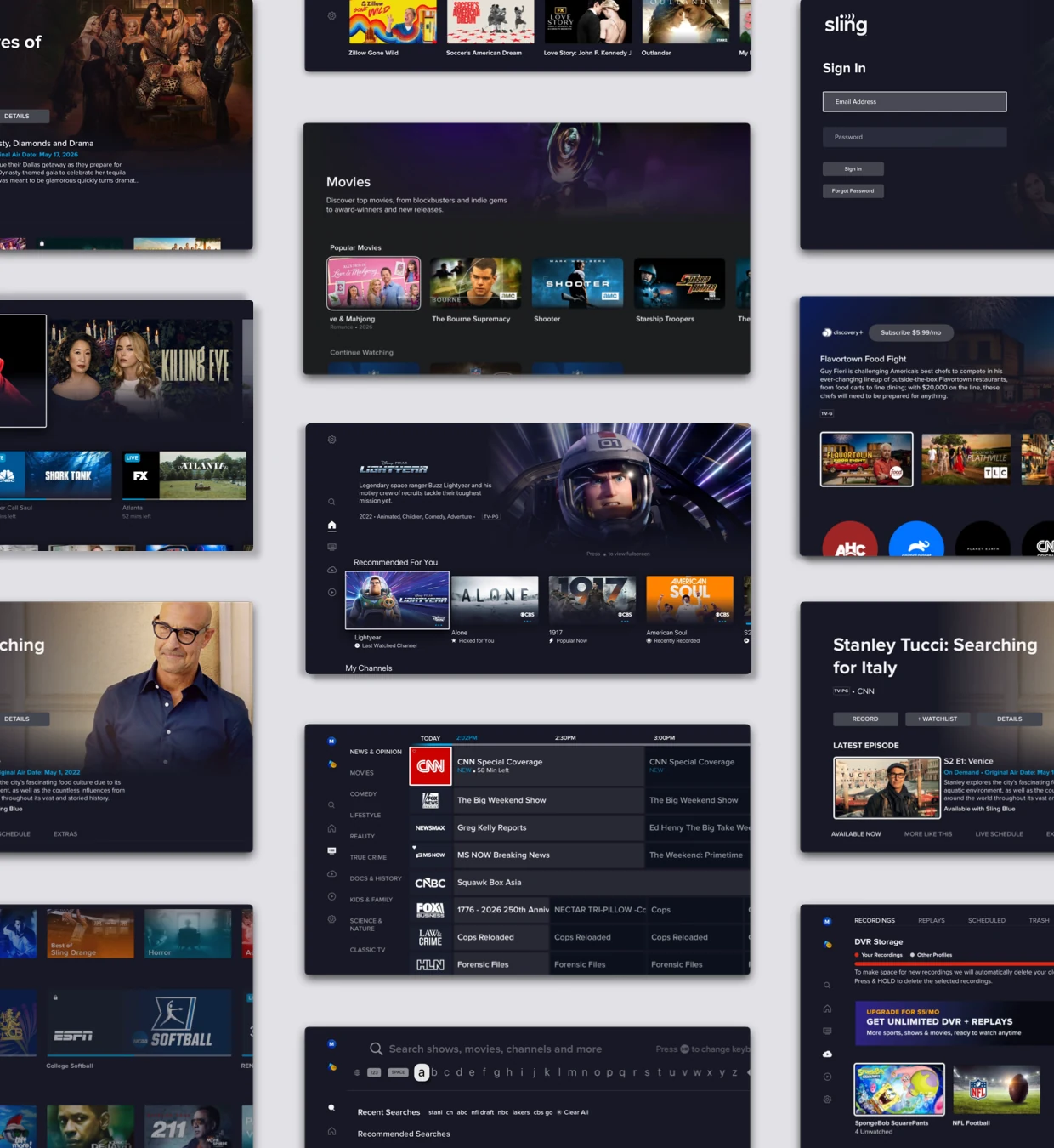
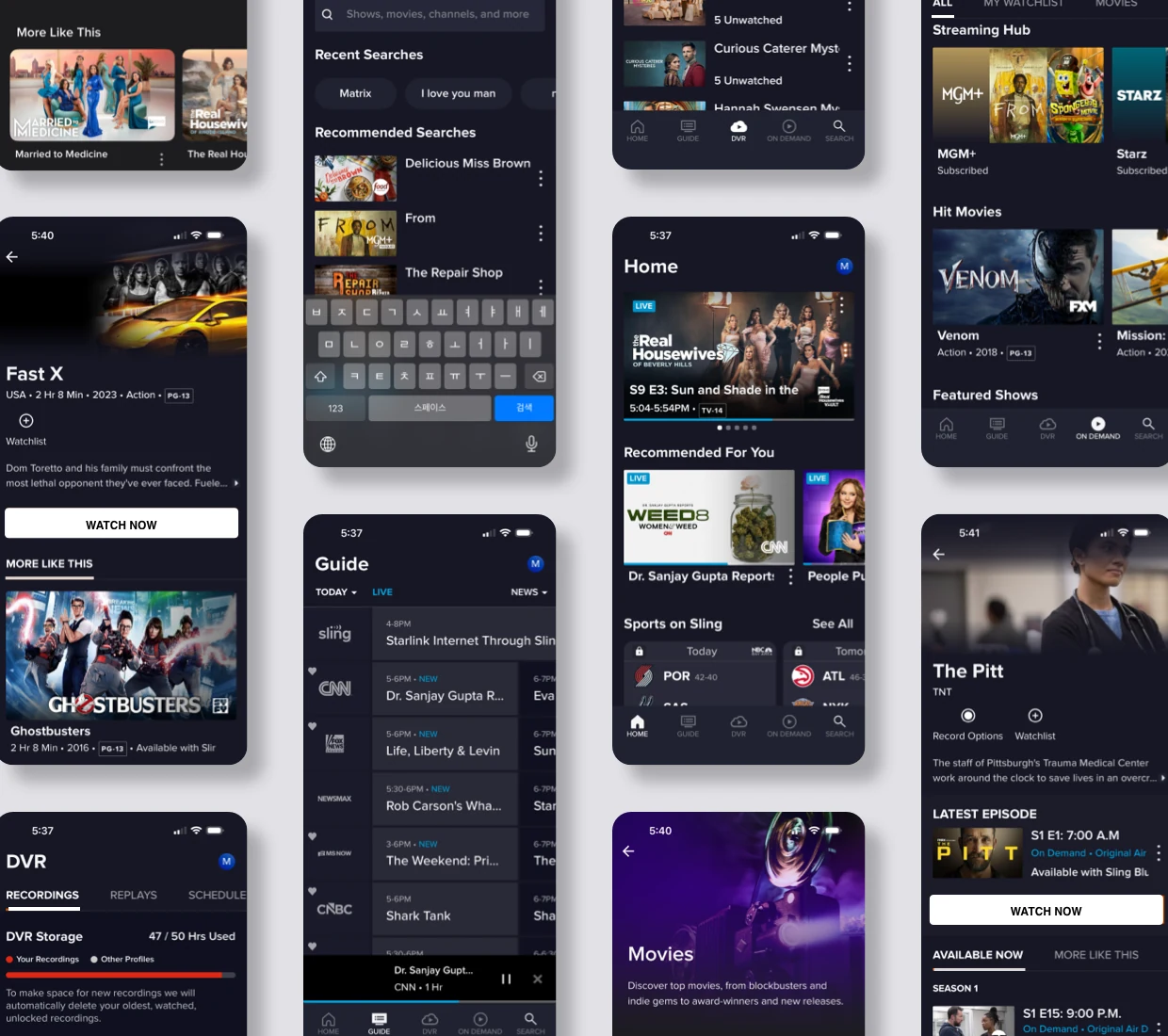
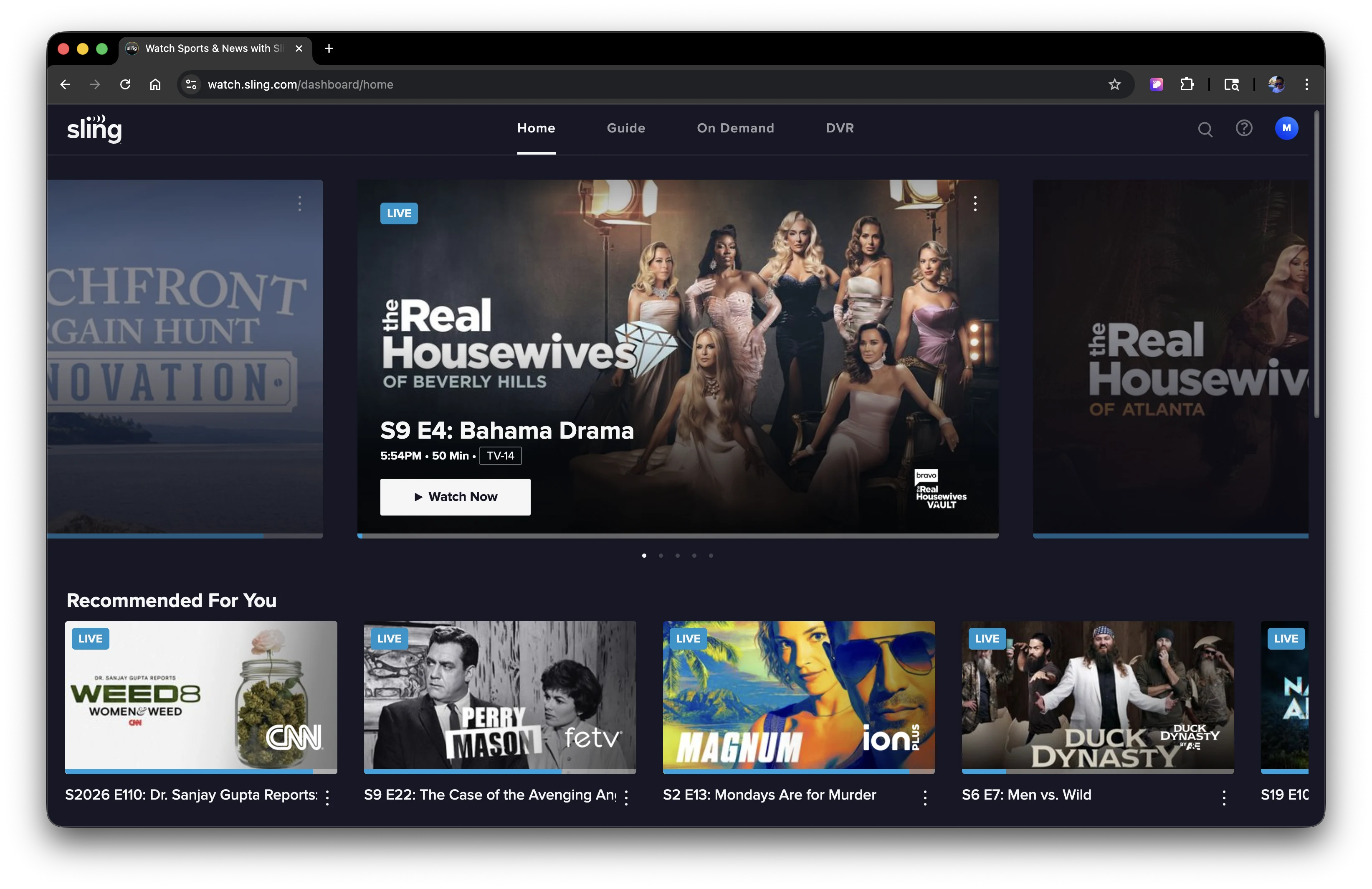
A full core experience redesign across TV, mobile, and web.
The redesign applied one shared experience model across Sling’s core ecosystem—not as identical screens, but as a flexible product foundation adapted to each platform.
This section highlights representative screens, not every journey, to show how the redesigned experience came together across TV, mobile, and web. Same system, device-specific experiences.
The redesign applied one shared experience model across Sling’s core ecosystem—not as identical screens, but as a flexible product foundation adapted to each platform.
This section highlights representative screens, not every journey, to show how the redesigned experience came together across TV, mobile, and web. Same system, device-specific experiences.
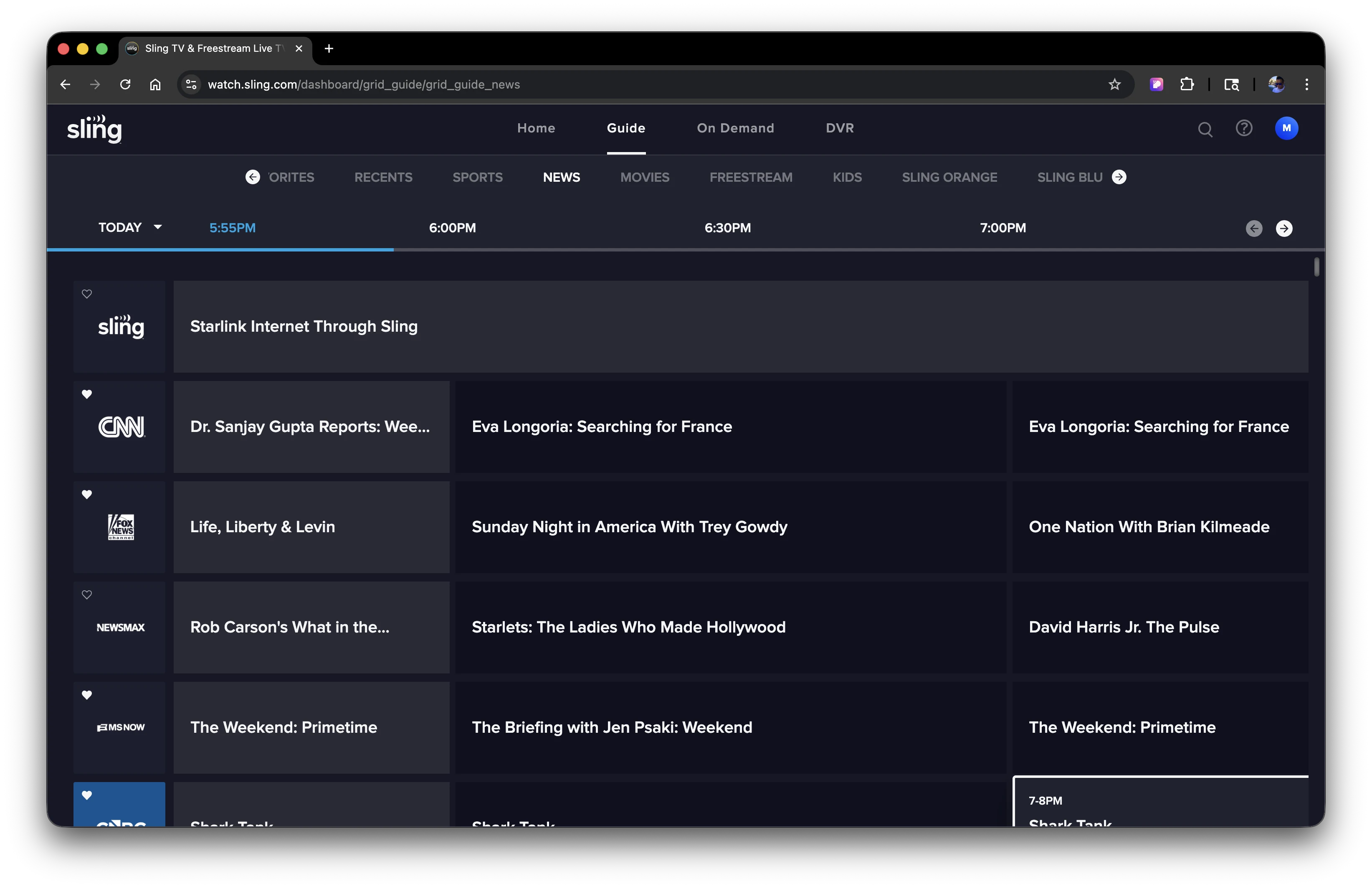
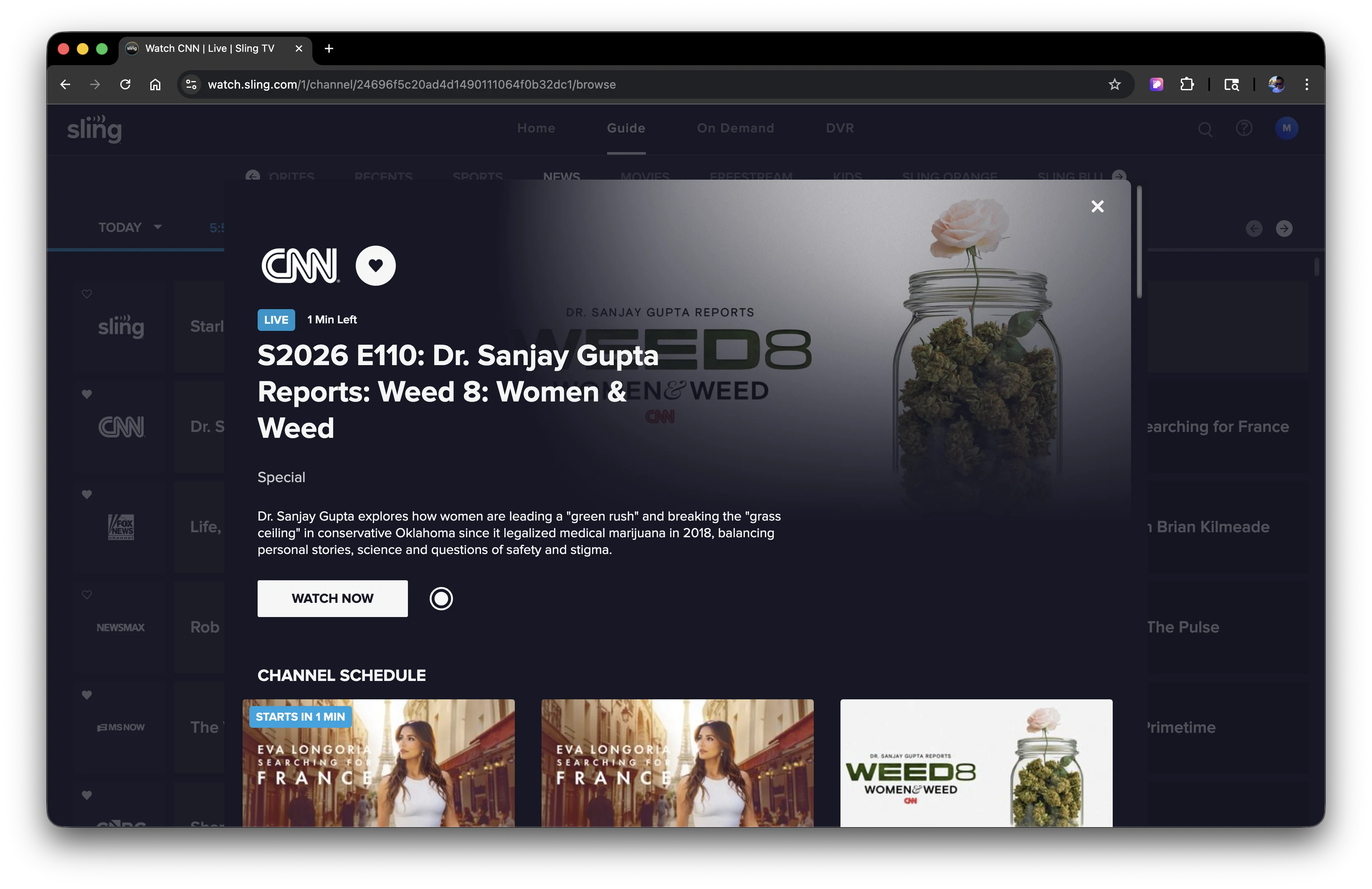
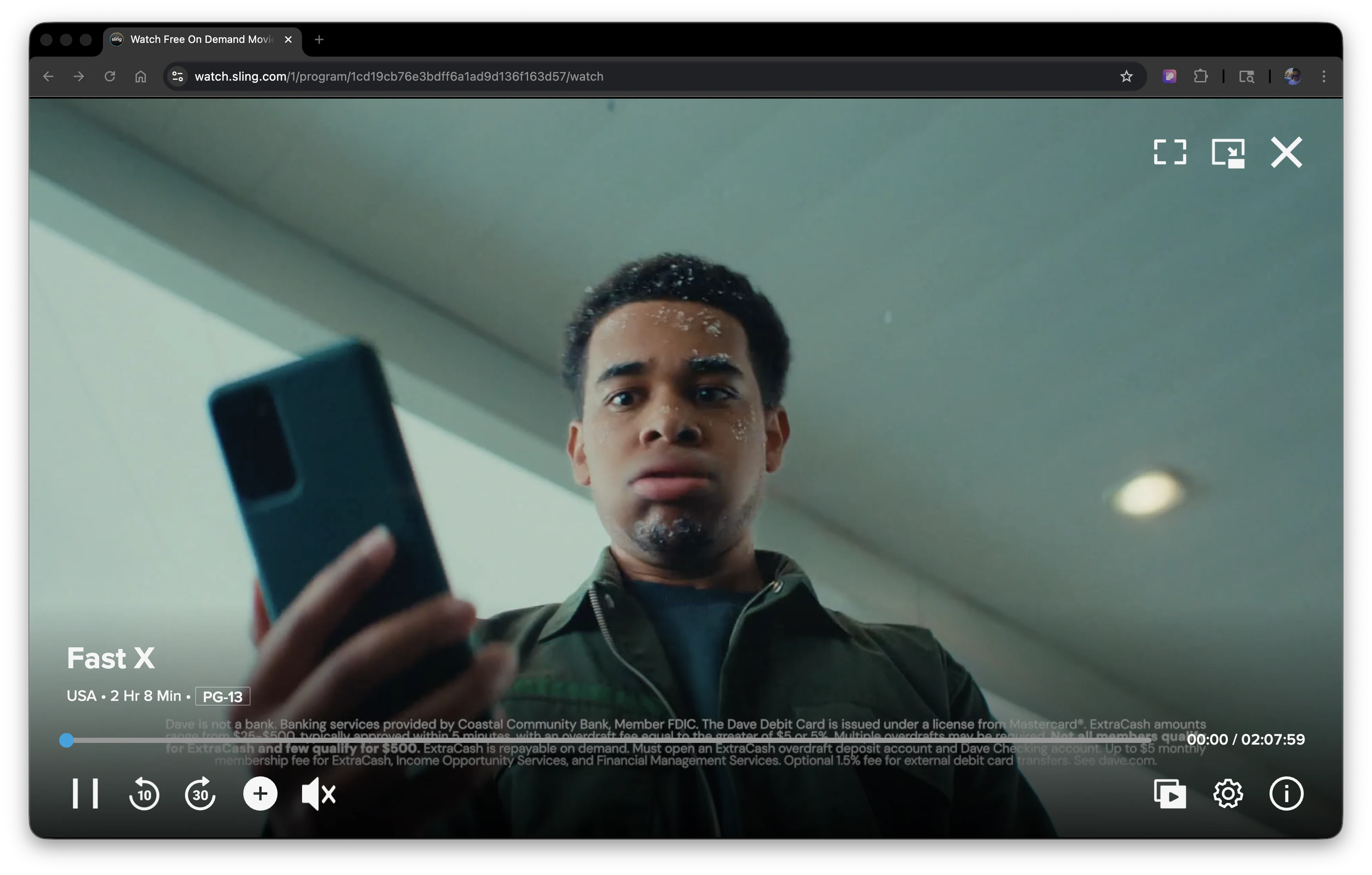
Before
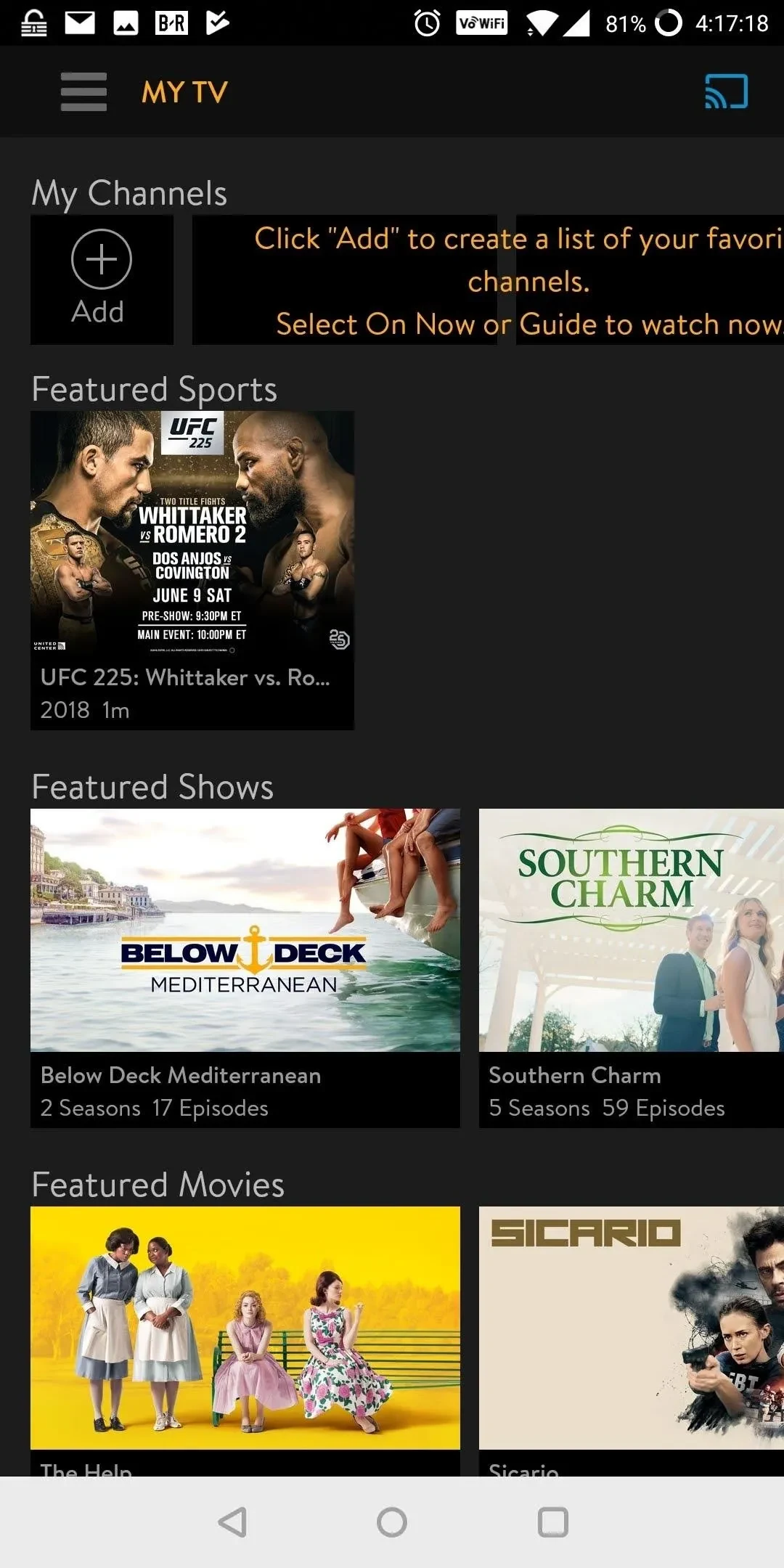
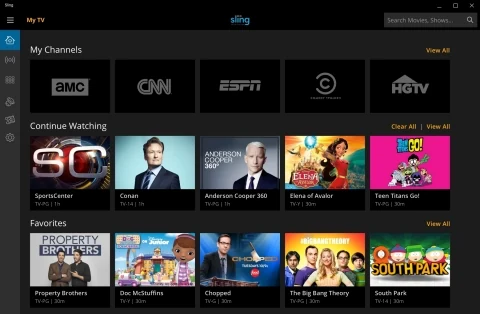
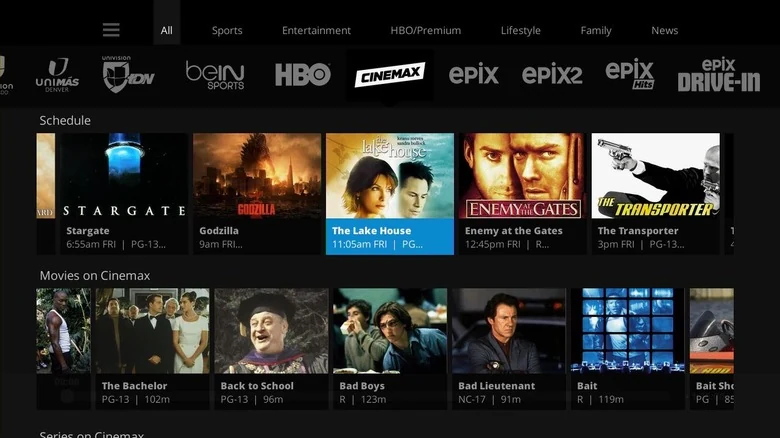
TV Experience
Mobile Experience
Web Experience
Post-launch signals moved in the intended direction.
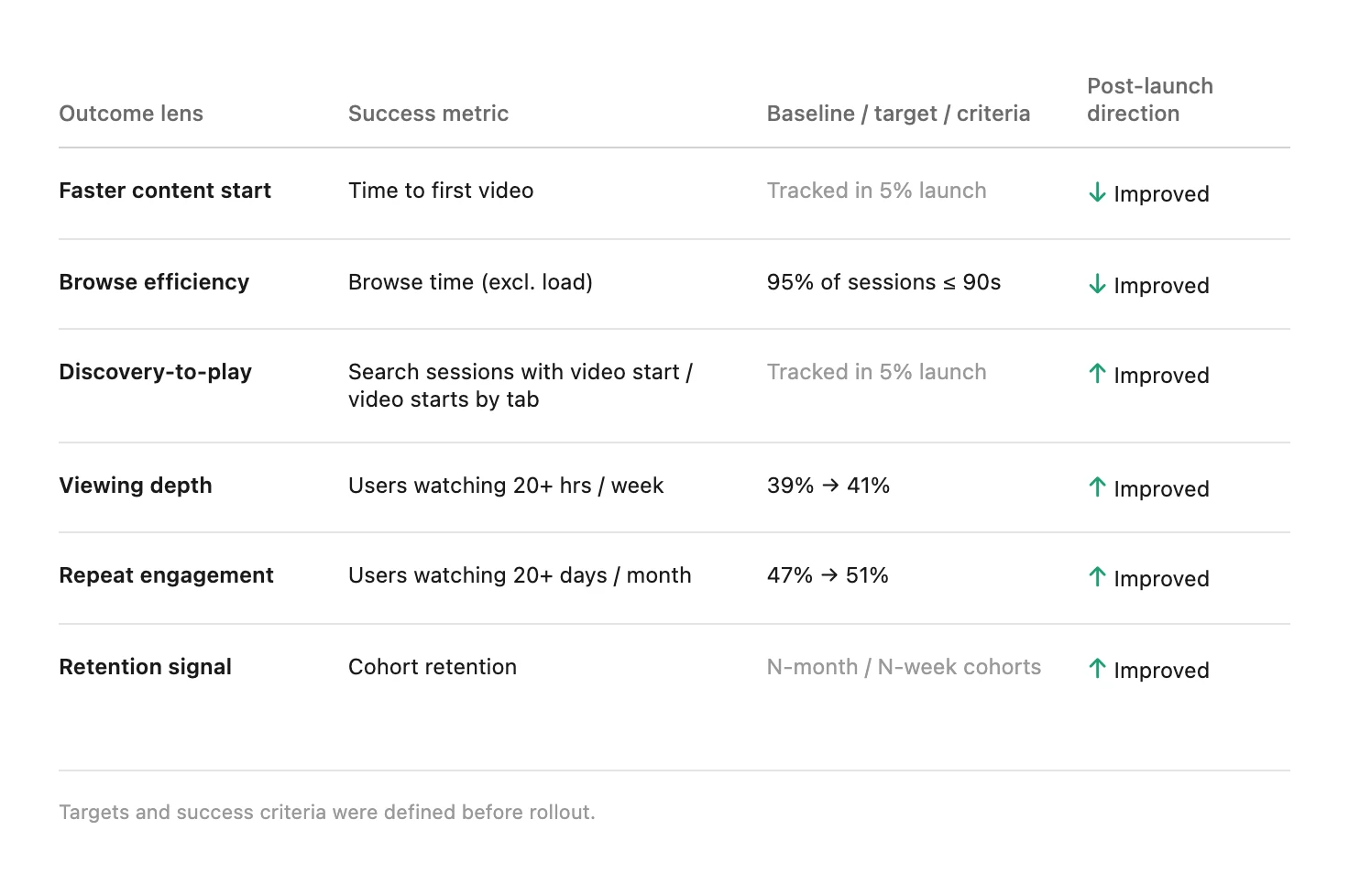
Success metrics were defined before rollout. Post-launch readouts showed improvement across the core signals. The rollout was followed by higher customer satisfaction, stronger repeat engagement, and deeper viewing. Core behavioral indicators also moved toward faster starts, less browsing, and more time watching.
Shipping the redesign established the foundation—not the finish line.
Leading this system-level redesign reinforced that my role was not only to define the experience, but also to make trade-offs visible, align teams around shared decisions, and create a foundation they could extend after launch.